CSFH APP / CATHOLICS STRIVING FOR HOLINESS APP NOW AVAILABLE FOR FREE!
DOWNLOAD AND INSTALL
Dear brethren in Christ:
You can now easily install the Catholics Striving for Holiness CSFH APP shortcut from your mobile or PC browsers for free! Hear are the easy steps.
ON YOUR MOBILE PHONE:
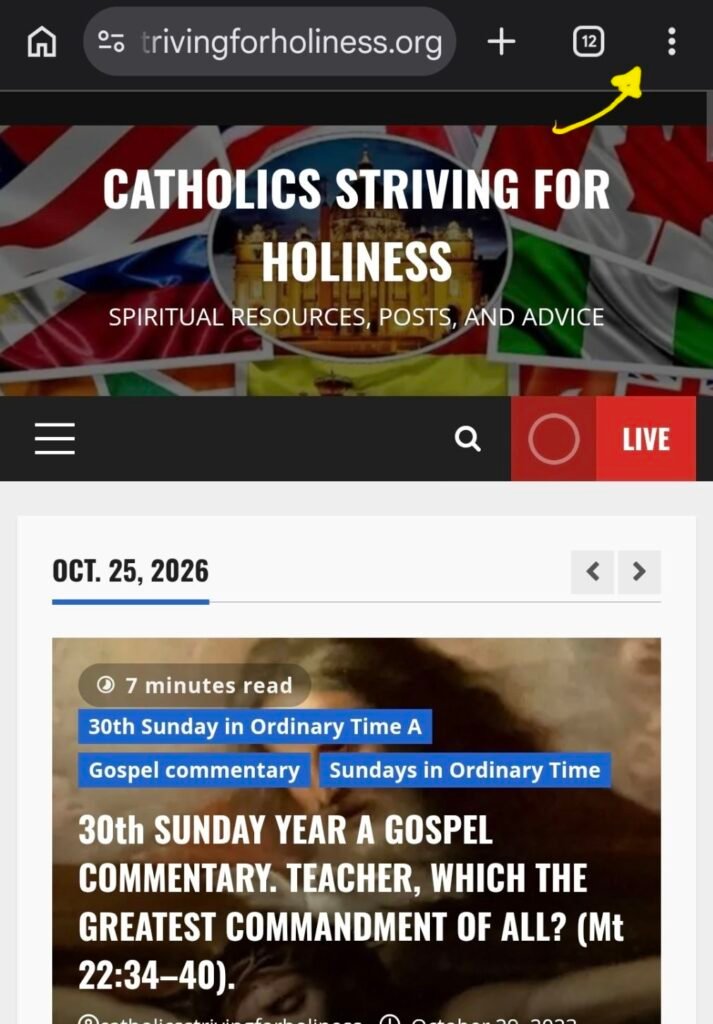
1. (Chrome) Look for the 3 dots on your mobile browser and click on it.
Safari: iPhone / iPad:
- Tap the Share button (the square with an upward arrow) in the toolbar, scroll down, and select Add to Home Screen.
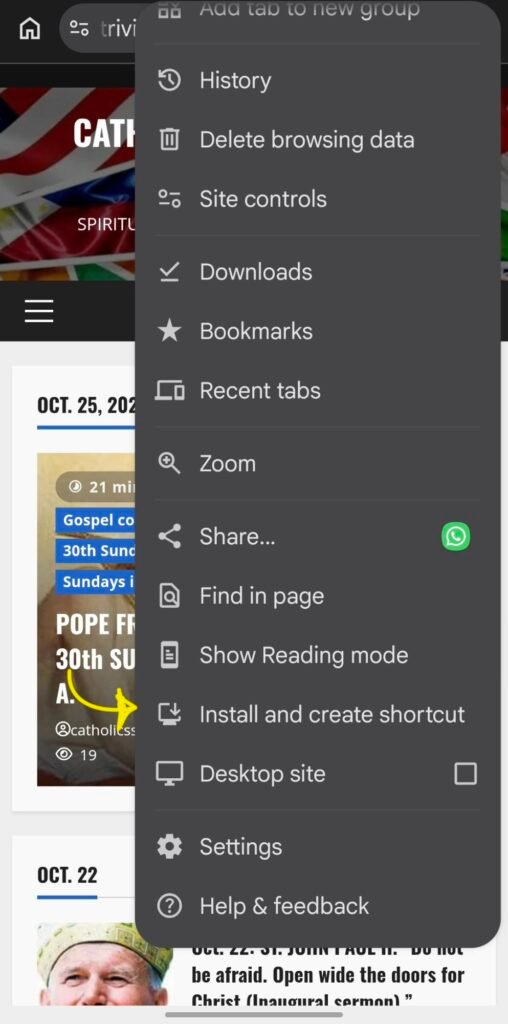
2. (Chrome) Look for INSTALL and CREATE SHORTCUT option then click on it.
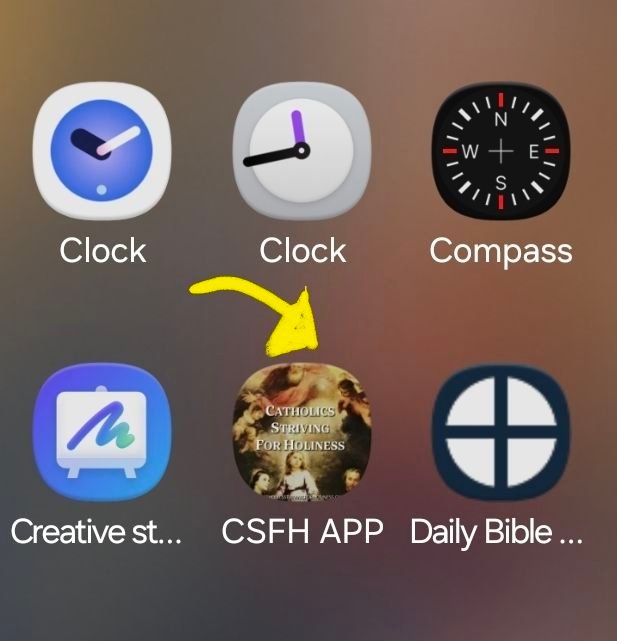
3. A shortcut of the CSFH APP will appear on you apps window.
ON YOUR DESKTOP BROWSER:
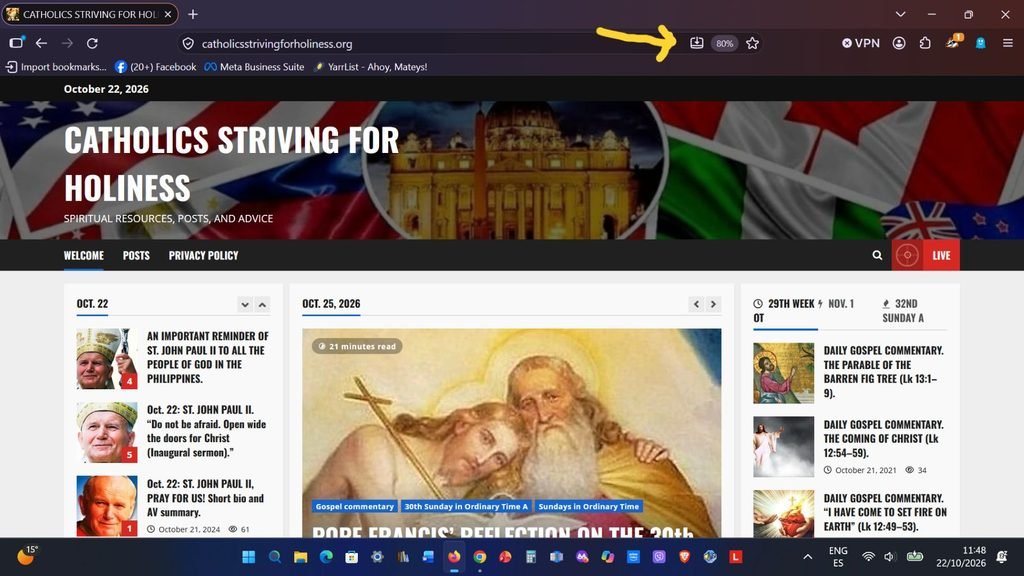
- (Chrome, Firefox and Microsoft Edge):
- Look for the widget of a monitor with a downward arrow in it and click it to download the CSFH APP.
Apple Safari (iOS & iPadOS)
- Mac (Safari 17+): Click File in the top menu bar, then select Add to Dock
Brave & Vivaldi (Desktop)
- Brave: Click the install icon in the URL bar (similar to Chrome) or open the main menu and select More tools >Create shortcut (check “Open as window”).
- Vivaldi: Click the install icon in the address bar, or right-click the website tab and select Install
3. An option to view the posts from the app will appear on the address bar of your browser.
Hope this would facilitate you in your daily spiritual journey to grow in your faith and love for God!
A blessed day ahead!
Fr. Rolly Arjonillo
Stay updated: subscribe by email for free TO OUR NEW WEBSITE catholicsstrivingforholiness.org (PUT YOUR EMAIL IN THE SUBSCRIBE WIDGET).
If you need some resources regarding a particular topic, feel free to use the search WIDGET which has access to thousands of posts, categories and tags on Catholic spirituality.
Cordially inviting you as well to follow www.fb.com/Catholicsstrivingforholiness. and share our posts to help more people in their Christian faith and life.
Thanks and God bless you and your loved ones! Fr. Rolly Arjonillo.